


Description
Apache MHL Moving Average MT4 v1.9
Apache MHL Moving Average MT4 v1.9 is an automated Expert Advisor for trading Gold (XAUUSD) on MetaTrader 4. It is designed for the M1 timeframe and combines multi-level Moving Average analysis with RSI confirmation from the M5 and M15 timeframes.
Key Features
- Designed for XAUUSD on MetaTrader 4
- M1 trading timeframe
- Multi-level Moving Average analysis
- RSI confirmation from M5 and M15
- Directional market filters
- Automated basket management
- Martingale recovery functionality
Risk Considerations
This EA includes martingale recovery and basket-management features. These methods can increase position size and account exposure during adverse market movement. Review the lot-sizing and risk settings carefully before use.
Testing
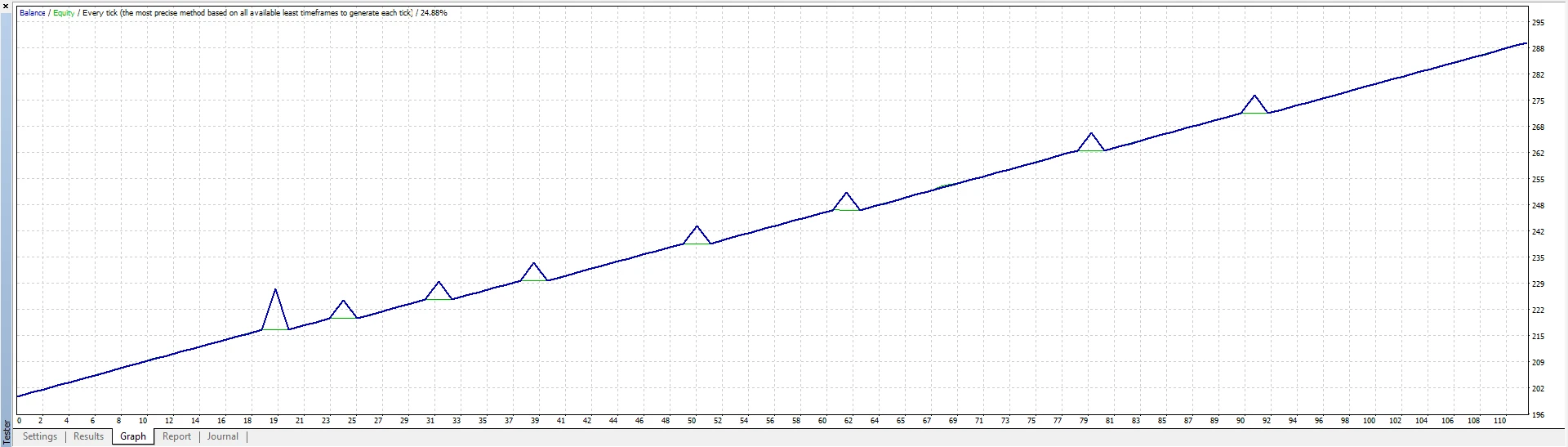
Test the EA with your broker and preferred settings before live trading. Automated trading cannot guarantee profits, and historical or backtested results do not guarantee future performance.
Apache MHL Moving Average MT4 v1.9 – MT4 Setup, Broker Links & Testing
Apache MHL Moving Average MT4 v1.9 is designed for MetaTrader 4. Before live use, confirm the correct symbol, timeframe and account settings, then review the EA’s lot sizing and risk-management inputs. Trading conditions for Gold (XAUUSD) can vary across brokers because of spread, commission, slippage, leverage and execution.
Recommended Broker Links
Affiliate disclosure: These are partner links and we may receive a commission if you open an account through them, at no extra cost to you. Confirm broker regulation, MetaTrader 4 availability and current account conditions in your country before opening an account.
How to Test Apache MHL Moving Average MT4 v1.9
- Install the EA on MetaTrader 4.
- Confirm the required symbol and timeframe.
- Review lot size, Stop Loss, Take Profit and recovery settings where applicable.
- Check spread, commission, slippage and leverage.
- Backtest where appropriate and run a demo test before live trading.
Apache MHL Moving Average MT4 v1.9 FAQ
Can MT4 broker conditions change EA results?
Yes. Execution speed, pricing, spread, slippage and contract specifications can affect automated strategy behavior.
Should I use the default settings immediately on a live account?
Demo testing first is recommended so you can understand risk, trade frequency and broker-specific behavior.
Where can I compare more MT4 EAs?
Browse our MT4 Expert Advisors for additional MetaTrader 4 trading robots.
Risk Warning
Forex, Gold and CFD trading can result in substantial losses. Automated software cannot guarantee profitable results. Historical performance and backtests are not guarantees of future performance.







Reviews
There are no reviews yet.